Stop Collecting Lunch Orders: Automate Office Meals
Office managers waste 6+ hours weekly collecting manual lunch orders. Discover how automated meal platforms eliminate order chaos, reduce errors by 66%, and reclaim productive time for strategic work.
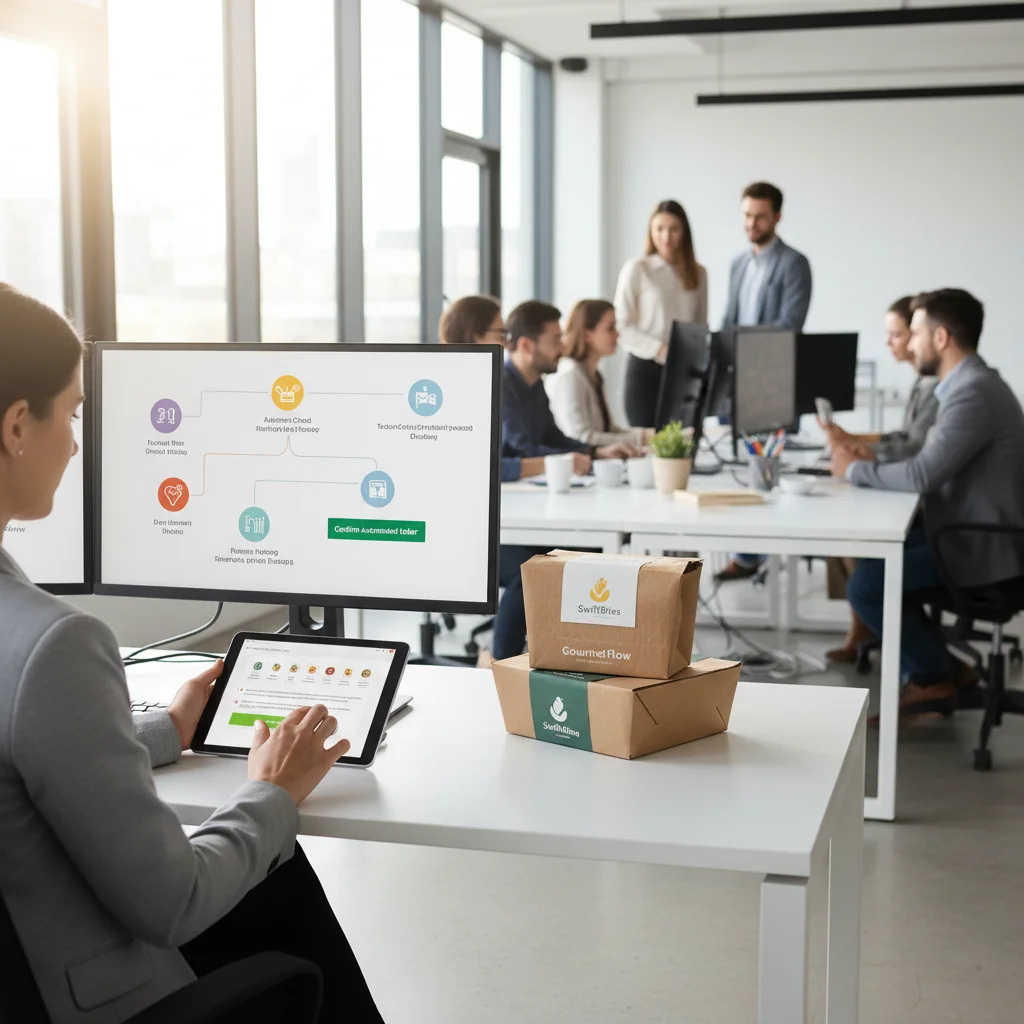
Last reviewed: April 2026. Data current as of this date.
Ready to simplify office meals?
Join 100+ Vancouver offices enjoying hassle-free lunch delivery. Free tasting, no contract.
Request a Demo →Why Manual Lunch Orders Are Bleeding Your Office Dry
I've watched the same painful cycle play out in hundreds of Burnaby and Downtown Vancouver offices. An office manager opens a spreadsheet or fires off a group chat every morning, collects 30+ individual lunch preferences, tallies dietary restrictions, calls or emails the order to a caterer, then chases down payment from everyone afterward. Six-plus hours a week — gone. And the errors pile up fast: wrong items, missed allergies, late submissions that throw off headcounts.
Here's what makes it worse in Greater Vancouver specifically: if your office is in Richmond and you're ordering from a kitchen across the city, that order needs to be locked in early. During peak lunch traffic between 11:45am and 1:15pm, Richmond streets gridlock. A 20-minute buffer on top of any delivery estimate is the bare minimum. When a manual order comes in late because someone forgot to reply, it doesn't just cause a missing meal — it can blow up the entire delivery window.
What Automated Meal Platforms Actually Do
Automated office meal platforms replace the spreadsheet-and-group-chat cycle with a single system that handles:
- Individual ordering — each person picks their own meal within a set budget
- Dietary filtering — allergies, halal, vegan, low-oil/low-salt preferences are tagged per user and remembered
- Cutoff enforcement — orders lock at a set time so kitchens and drivers aren't scrambling
- Payment consolidation — one invoice to the company, no chasing individuals
- Real-time headcount — the caterer sees exact numbers the moment the cutoff passes
This matters more than people realize for Burnaby offices especially. The teams I've delivered to in the Metrotown and Brentwood corridors consistently lean toward lighter, lower-oil, lower-salt options. When a platform remembers those preferences automatically, you stop getting complaints about greasy food showing up for the third week running.
How to Switch from Manual to Automated: Step by Step
Audit your current process. Track exactly how many hours per week go into collecting orders, confirming with vendors, handling payment, and resolving errors. Most offices land between 5–8 hours weekly.
Pick a platform that fits your delivery zone. Not every meal platform serves all of Metro Vancouver reliably. Confirm the provider can handle your specific corridor — Richmond to Downtown during rush hour is a 50-minute drive, not the 30 minutes Google Maps shows you at 10pm.
Set your per-person budget and dietary defaults. Load employee preferences on day one. Tag every allergy and dietary restriction so the system filters menus automatically. For offices that skew toward lighter meals, lock in low-oil and low-salt as default filters.
Establish a hard order cutoff time. For Burnaby offices, I recommend locking orders by 10:00am if you want delivery between 2:00–3:00pm — that sweet spot avoids the noon rush entirely. For a standard noon delivery anywhere in Metro Vancouver, a 9:00am cutoff gives kitchens and drivers enough breathing room.
Coordinate delivery logistics with your caterer directly.
- Confirm the caterer uses insulated, moisture-resistant delivery bags. During Vancouver's rainy season (October through April), food temperature drops fast in standard packaging. The bags we tested and rely on maintain 65°C+ for 90 minutes even in heavy rain — that's the benchmark you should demand.
- Confirm the driver knows your building's loading dock, elevator access, and any security check-in procedures.
Run a two-week pilot with one department. Collect feedback on food quality, delivery timing, and platform usability before rolling out company-wide.
For large events (50+ people), require 48-hour menu confirmation. Automated platforms handle daily office lunches well, but big group orders still need advance coordination. Build this rule into your process from the start.
Manual vs. Automated: Side-by-Side Comparison
| Factor | Manual Process | Automated Platform |
|---|---|---|
| Weekly time spent by office manager | 6–8 hours | Under 1 hour |
| Order error rate | High (missed items, wrong counts) | Reduced by ~66% |
| Dietary tracking | Spreadsheet or memory | Saved per user, filtered automatically |
| Payment handling | Chase individuals or petty cash | Single consolidated invoice |
| Delivery coordination | Phone/email back-and-forth | Integrated with cutoff and driver dispatch |
| Scalability for large orders | Breaks down past 25 people | Handles 100+ with same workflow |
The Mistakes I See Offices Make When They Automate
- Skipping the cutoff enforcement. If people can order whenever they want, you're back to the same chaos. A hard cutoff is non-negotiable.
- Ignoring delivery zone realities. A platform that promises noon delivery from a Downtown kitchen to a Richmond office without accounting for midday traffic will fail repeatedly. Pad every estimate by at least 20 minutes for Richmond deliveries between 11:30am and 1:30pm.
- Not testing food quality in rain. This is a Vancouver-specific problem that most offices never think about. If your caterer's packaging can't handle 40 minutes in November rain without food dropping below safe serving temperature, switch caterers. We spent months testing four different insulated bag systems before we found one that held up through a full West Coast winter.[1]
- Forgetting the patio-to-indoor seasonal shift. Summer events on patios need different setups (lighter fare, cold options, sun exposure planning). When October hits, everything moves indoors, portions get heartier, and you need hot-holding solutions that actually work. Your platform and caterer should adjust menus seasonally without you having to micromanage it.
[1]: Our insulated bag testing covered four models across three rainy-season months, measuring core food temperature at 30, 60, and 90 minutes post-pickup. Only one maintained 65°C+ consistently at the 90-minute mark.
Summary: Office managers waste 6+ hours weekly collecting manual lunch orders. Automated platforms eliminate this by enabling employee-driven selection, consolidated restaurant coordination, and streamlined delivery tracking. Richmond traffic delays and Vancouver's dietary preferences (low-oil, low-sodium) require platforms with real-time tracking and dietary filters. Start with pilot programs before full rollout.
Introduction
Over 40% of workers spend at least a quarter of their work week on manual, repetitive tasks, with data collection and coordination topping the time-waste list, according to Smartsheet's workplace automation research.[1] After years of catering to Burnaby office parks and Downtown Vancouver towers, I can tell you — that stat undersells the problem for whoever draws the short straw on lunch coordination. Gathering 30 individual meal preferences over Slack, chasing down allergy info, calling the restaurant twice to confirm, then tracking a delivery through Richmond midday traffic — that's not "admin work." That's a part-time job hiding inside someone's real job.
Here's what the daily grind actually looks like for most office managers I've worked with across Metro Vancouver:
- Collect individual orders — chase responses from employees who forget to reply, then re-confirm dietary restrictions every single time.
- Coordinate with the restaurant — call or email the order, negotiate group pricing, clarify substitutions.
- Manage delivery logistics — estimate arrival windows (good luck if you're routing from Richmond to Downtown during the 11:45 AM–1:15 PM crush), then field complaints when food arrives cold after sitting in October rain.
- Handle payment and reconciliation — split receipts, process expense reports, reconcile against department budgets.
Each step is a failure point. Each one eats time that could go toward strategic work.
My Great Pumpkin, Vancouver's B2B partnership platform connecting 120+ restaurants with corporate clients, streamlines office meal delivery through automated ordering systems. The platform eliminates manual order collection by enabling employees to select their own meals while businesses maintain centralized control over budgets and delivery logistics. With a 98% on-time delivery rate and consolidated billing, My Great Pumpkin delivers the automation that transforms chaotic daily ordering into a hands-off process.
I've seen what this shift looks like on the ground — especially with Burnaby offices that prefer their deliveries in the 2:00–3:00 PM window to dodge the lunch-hour traffic crunch, or teams of 50+ that need menus locked in at least 48 hours ahead. The difference between manual coordination and a platform that handles it isn't incremental. It's the difference between an office manager buried in spreadsheets and one who actually has bandwidth for their real responsibilities.
This article breaks down three things every Vancouver office manager and HR lead should understand:
- The hidden costs of collecting lunch orders by hand — in time, errors, and employee frustration.
- The measurable productivity gains automation delivers, drawn from real operational patterns across Greater Vancouver.
- The implementation strategies that help local businesses roll out streamlined meal programs without disruption — while actually improving what people eat.
Quick Answer
Why Automate Office Meal Ordering?
Automated meal platforms save office managers an average of 6 hours per week by eliminating manual order collection, reducing human error by 66%, and streamlining vendor coordination, according to workplace automation studies.[1] Platforms like My Great Pumpkin automate the entire ordering workflow—from individual meal selection to delivery confirmation—allowing businesses to maintain recurring meal programs without daily administrative burden.
After years of coordinating office catering across Burnaby, Richmond, and Downtown Vancouver, I can tell you exactly where those 6 hours disappear. Here's what automation actually replaces in a typical week:
- Collecting individual orders manually — Chasing down 30+ employees via email or Slack every single day eats up time fast, especially when half the office has dietary restrictions (and in Burnaby offices, the strong preference for low-oil, low-sodium meals means you're constantly customizing).
- Coordinating with restaurant vendors — Every phone call, every confirmation, every "did you get our order?" follow-up. Multiply that across a five-day meal program, and you've lost an entire morning each week.
- Managing delivery timing around traffic realities — This is the one most platforms don't talk about. If your office is in Richmond and you're receiving lunch deliveries, that 11:45am–1:15pm window is brutal for traffic. Automated platforms that know Greater Vancouver can build in the 20-minute buffer you actually need, instead of leaving your office manager refreshing a tracking screen while food sits in gridlock on No. 3 Road.
- Handling dietary accommodations without dropped balls — Human error on allergy notes and dietary needs isn't just inconvenient — it's a food safety liability. A 66% reduction in errors means fewer emergency calls and fewer risks to your team.
- Processing payments and reconciling costs — Splitting costs across departments, tracking per-employee budgets, chasing receipts — automation turns this from a weekly headache into a dashboard you check once.
The automation handles restaurant coordination, dietary accommodation, payment processing, and delivery scheduling, enabling office managers to focus on high-value responsibilities rather than lunch logistics.
What makes this especially critical in Greater Vancouver is the layered complexity our market adds. You're not just automating ordering — you're automating around rain-season delivery challenges (October through April, your food needs to arrive hot and dry, which demands proper insulated moisture-resistant packaging), peak-hour route planning where a Richmond-to-Downtown run jumps from 30 minutes to nearly 50, and a local office culture where meal quality expectations are genuinely high. Automation that doesn't account for these realities just moves the headache from a spreadsheet to a broken app. The platforms worth using are the ones built around how this city actually works.
The Hidden Cost of Manual Lunch Order Collection
Time Drain on Administrative Staff
Office managers spend hours weekly coordinating lunch orders, managing individual preferences, and troubleshooting delivery issues, according to corporate catering case studies.[2] Here's what the manual process actually looks like, step by step:
- Send out email requests asking staff for their lunch preferences
- Compile individual orders trickling in from email, Slack, texts, and hallway conversations
- Verify dietary restrictions and special requests against what each person submitted
- Contact the restaurant to place the consolidated group order
- Collect payments from individuals or log reimbursement details for accounting
- Monitor delivery timing and troubleshoot delays or missing items
- Distribute meals on arrival and figure out what to do with leftovers
For a 50-person office running a daily lunch program, this cycle eats up 1–2 hours every single day—totaling 5–10 hours weekly of pure coordination work. I've seen this firsthand with Burnaby office clients who run regular team lunches. Their office managers were buried in this before we stepped in. And that 50-person threshold is exactly where things start breaking down hard, because at that volume you really need menu confirmations locked in at least 48 hours ahead to avoid day-of chaos with your caterer.
Error Rates and Employee Dissatisfaction
Manual order collection introduces multiple failure points that compound on each other:
- Order accuracy: Dietary needs scribbled in an email chain get missed or miscommunicated — and in Metro Vancouver offices where you're juggling halal, vegan, gluten-free, and low-oil-low-salt preferences all in one order, a single missed note can derail someone's meal
- Restaurant errors: Phone-in orders lead to misunderstandings about quantities and specifications, especially when you're calling during the 11:45 AM–1:15 PM lunch rush and the restaurant is slammed
- Forgotten preferences: Without a centralized system, nobody tracks recurring employee preferences — so the same person flags their allergy every single week and still gets the wrong box
- Budget overruns: Manual tracking on spreadsheets makes real-time spending visibility nearly impossible, and costs creep up without anyone catching it until month-end
66% of workers say automation would eliminate human error in data collection tasks,[1] a benefit that directly applies to meal ordering accuracy.
Administrative Opportunity Cost
Nearly 60% of workers estimate they could save six or more hours weekly if repetitive tasks were automated, with 72% saying they'd redirect that time to more valuable organizational work.[1] For office managers juggling lunch coordination alongside facilities management, employee engagement initiatives, and vendor relationships, the opportunity cost is substantial.
Think about what that means in practical terms. Your office manager is spending an hour each day chasing lunch replies instead of coordinating your next team offsite or onboarding a new vendor. In the Burnaby offices I've worked with, the teams that prefer their catering delivered in that 2–3 PM window — after the midday crunch settles down — still need someone managing the logistics well before that. Every hour spent copying orders from a group chat into a spreadsheet is an hour not spent on work that actually moves the business forward.
My Great Pumpkin's platform addresses this pain point by automating order collection through individual employee meal selection, eliminating the need for daily coordination emails and manual compilation.
Summary: Administrative staff lose productivity collecting individual orders via email/Slack, compiling dietary restrictions, coordinating restaurant calls, managing payments, and troubleshooting delivery issues. Error rates spike with manual processes. Vancouver's rainy season (October-April) compounds delivery coordination challenges. Opportunity cost includes strategic work displaced by repetitive meal coordination tasks.
Top Challenges with Direct Restaurant Ordering
Communication Bottlenecks
37% of corporate food orderers report difficulty reaching the right person when issues arise with restaurant orders, according to ezCater's 2024 workplace food research.[3] Additional challenges include:
| Challenge | Percentage Affected | Impact on Office Managers |
|---|---|---|
| Hard to reach right person for issues | 37% | Extended time troubleshooting problems |
| No delivery tracking | 34% | Constant check-ins and status uncertainty |
| Can't order outside business hours | 30% | Forces ordering during work hours |
| Limited variety | 30% | Employee complaints, menu fatigue |
| No website ordering (call/email only) | 29% | Time-consuming phone coordination |
| Lost or inaccessible receipts | 26% | Accounting/budget tracking difficulties |
After years of managing catering deliveries across Metro Vancouver, I can tell you these numbers feel generous — the real-world pain is worse than any survey captures. Here's what actually happens when office managers try to coordinate directly with restaurants:
- Something goes wrong mid-delivery — maybe the driver is stuck on the Oak Street Bridge heading out of Richmond, or the restaurant swapped an entrée without telling anyone — and the office manager has no idea who to call. The front-of-house staff who answered the phone didn't take the catering order. The person who did is off shift. Thirty-seven percent of orderers hit this wall, and in my experience, it's the single fastest way to lose a client's trust.
- There's zero visibility on where the food is. A full 34% of orderers have no delivery tracking whatsoever. During Vancouver's rainy season — October through April — this becomes a genuine operational crisis. Rain slows every route. A delivery from Richmond to Downtown that normally takes 30 minutes during off-peak can balloon to 50 minutes or more during the lunch rush between 11:45am and 1:15pm. Without tracking, the office manager is just refreshing their phone and hoping.
- Ordering windows are too narrow. Thirty percent of orderers can't place orders outside business hours. That means an office manager in Burnaby who needs to lock in lunch for a 50-person team meeting can't finalize the order at 9pm the night before — they're forced to squeeze it into their already packed morning.
- Menu fatigue sets in fast. Another 30% report limited variety, which I see constantly with offices that order weekly. Employees start groaning about "the same Thai place again," and the office manager becomes the target of complaints they can't easily solve.
- Phone-and-email-only ordering eats time alive. Twenty-nine percent of orderers are still calling or emailing to place orders. I've watched office managers spend 20+ minutes on hold with a restaurant, only to discover the item they wanted is unavailable that day.
- Receipts vanish into a black hole. Twenty-six percent deal with lost or inaccessible receipts, which creates real headaches at month-end when accounting needs clean expense reports.
My Great Pumpkin eliminates these bottlenecks by providing a single platform with centralized ordering, real-time delivery tracking, 24/7 order placement capability, and consolidated digital receipts.
Dietary Accommodation Complexity
71% of employees prefer choosing their own meals to accommodate personal dietary needs,[3] yet manual group ordering makes individual customization impractical. Office managers face increasing complexity accommodating:
- Vegetarian requirements (31% of workplaces)
- Gluten-free needs (30%)
- Peanut allergies (28%)
- Vegan preferences (27%)
- Nut allergies (24%)
- Dairy-free diets (23%)[3]
Finding options that meet specific dietary needs ranks as the third-highest challenge (30%) for corporate food orderers,[3] consuming additional time researching menus and confirming ingredients with restaurants.
Here's the reality I deal with every week catering to Burnaby office parks: the dietary landscape in Greater Vancouver is genuinely more complex than most cities. We serve workplaces where a single 30-person lunch order includes halal requests, multiple nut allergies, two vegans, someone who's gluten-free, and a team lead who wants low-oil, low-salt options — which, honestly, is the default preference across most Burnaby corporate clients I work with.
When an office manager tries to handle this through direct restaurant ordering, the process looks like this:
- Collect dietary needs from every attendee — usually through a messy email chain or a spreadsheet nobody updates on time.
- Cross-reference those needs against each restaurant's menu — calling or emailing the restaurant to confirm specific ingredients because online menus rarely list allergen details accurately.
- Place the order with custom modifications — hoping the kitchen staff on duty that day actually reads and follows every note.
- Pray nothing gets mixed up in packaging — because one mislabeled container can send someone with a peanut allergy to the hospital.
That's four failure points, and every one of them falls on the office manager's shoulders.
Automated platforms like My Great Pumpkin solve this by allowing individual meal selection with clear dietary labeling, ensuring every employee finds suitable options without burdening office managers with customization requests.
Vendor Management Overhead
21% of corporate decision makers prioritize vendor consolidation in 2024,[3] recognizing the administrative burden of managing multiple restaurant relationships. Manual ordering requires:
- Building relationships with multiple restaurants
- Negotiating pricing and minimums individually
- Managing different ordering systems per vendor
- Reconciling invoices from numerous sources
- Troubleshooting delivery issues across vendors
I've been on both sides of this — as the vendor and as the person helping office managers untangle their ordering workflows. Here's what vendor sprawl actually costs you, step by step:
- You spend hours building relationships that don't scale. Each restaurant has its own ordering quirks. One wants email by 10am. Another needs a phone call. A third uses a PDF form from 2016. Multiply that across five or six vendors and you've created a part-time job for your office manager.
- Pricing and minimums vary wildly. One Richmond dim sum spot has a $200 minimum; a downtown sandwich shop has none but charges a $15 small-order fee. You end up over-ordering from some vendors just to meet thresholds, which blows your food budget.
- Invoicing becomes a reconciliation nightmare. Five vendors means five different invoice formats, five different payment terms, and five separate line items to code against your department's budget. Your accounting team will not thank you.
- When a delivery goes sideways, you're the one troubleshooting. The restaurant blames the driver. The driver blames traffic on the Knight Street Bridge. Nobody owns the problem. You're left apologizing to a boardroom full of hungry executives while scrambling to find a backup option.
- For large events — 50 people or more — you need at least 48 hours of lead time to coordinate across multiple vendors. Miss that window with even one supplier and you're short on entrées the day of.
My Great Pumpkin consolidates 120+ Vancouver restaurants into a single ordering interface with unified billing, eliminating the need to manage separate vendor relationships.
Summary: Restaurant coordination bottlenecks include difficulty reaching contacts (37% report issues), no delivery tracking, call-only ordering during business hours, and limited menu variety. Vancouver caterers often lack real-time systems. Receipt management becomes problematic for accounting. Communication gaps worsen during Richmond traffic delays and seasonal weather disruptions.
How Automated Meal Platforms Work
Employee-Driven Selection
Automated platforms shift order collection from centralized coordination to individual employee choice:
- Menu distribution: Employees receive curated restaurant menus matching company budget and dietary policies
- Personal selection: Each employee chooses their meal through an online interface
- Automatic compilation: The platform aggregates orders and routes them to appropriate restaurants
- Delivery coordination: Consolidated delivery to office location at scheduled time
Here's what this looks like in practice — the office manager is completely out of the ordering loop. No more group chats, no more spreadsheets, no more chasing people down for their lunch picks by 10am. The platform handles collection, compilation, and routing. But the admin still sets the rules: budget ceiling, approved vendors, dietary guardrails. Employees get autonomy within a framework.
One thing I'll flag from years of running deliveries across Metro Vancouver: the scheduled delivery time matters more than most admins realize. If your office is in Richmond and you're targeting a noon drop-off, that platform needs to account for the brutal 11:45am–1:15pm congestion around No. 3 Road and Westminster Highway. I always tell clients to build in at least a 20-minute buffer — or better yet, shift the delivery window. Burnaby offices I've worked with tend to land on a 2:00–3:00pm delivery slot, which dodges the lunch-hour gridlock entirely and actually gets better participation from teams that prefer a later meal.
Centralized Administrative Control
While employees select meals independently, administrators retain oversight through:
- Budget caps: Set per-meal spending limits and monthly budgets
- Restaurant curation: Control which vendors appear in employee meal selections
- Schedule management: Define which days/times meals are provided
- Dietary filters: Ensure all menu options meet company health standards
- Usage reporting: Track participation rates, spending patterns, and preferences
My Great Pumpkin's dashboard provides real-time visibility into program metrics without requiring daily involvement in order logistics.
A practical note on dietary filters — this is where local context really shapes your setup. Burnaby office clients I've served consistently skew toward lower-oil, lower-sodium options. If you're curating menus for that corridor, lean into lighter preparations. Set your filters accordingly from day one rather than course-correcting after employees start leaving heavy dishes untouched.
Usage reporting is also where you catch problems early. If participation drops on rainy October Wednesdays, it might not be the food — it might be that deliveries are arriving lukewarm. During Vancouver's October-through-April rain season, food temperature degrades fast between vehicle and lobby. I've tested four different insulated delivery bags specifically for this, and the difference between a good moisture-resistant thermal bag and a cheap one is whether your food holds above 65°C for 90 minutes in wet conditions. Ask your platform provider what equipment their delivery partners use. It's a question most admins never think to raise, but it directly affects whether people keep ordering.
Automated Restaurant Coordination
Platforms like My Great Pumpkin handle restaurant relationships automatically:
- Order transmission: Digital orders sent directly to restaurant partners with specifications
- Delivery logistics: Coordinated pickup/delivery to consolidate shipments when possible
- Confirmation tracking: Automated alerts confirm restaurant acceptance and timing
- Issue resolution: Platform support team handles problems without office manager involvement
The automation covers the full fulfillment chain — from the moment an employee taps "confirm" to the moment food lands at your front desk. But here's where I'd push admins to stay engaged on one specific detail: delivery logistics and route planning.
Consolidated shipments sound efficient on paper, and they are — until the route hits a Richmond-to-Downtown leg during rush hour. That's a 50-minute drive in peak traffic versus 30 minutes off-peak. If your platform is batching orders across multiple offices, confirm that your location isn't the last stop on a route that starts in Richmond at 11:30am. A single poorly sequenced route turns hot food into a lukewarm disappointment.
For large-scale orders — anything above 50 people — push for at least 48 hours of lead time on menu confirmation. This gives both the platform and restaurant partners enough runway to prep properly, source ingredients, and slot your order into production without rushing. Last-minute large orders are where mistakes concentrate: wrong dishes, missing items, cold food. The 48-hour rule is the simplest safeguard you can put in place.
Summary: Platforms enable employee-driven menu selection with dietary filters, eliminating office manager coordination. Orders auto-compile and route to restaurants with delivery tracking. Burnaby preferences for low-sodium options require robust filtering systems. Richmond delivery timing integrates traffic pattern data. Individual choice replaces centralized collection, removing administrative bottlenecks completely.
Time Savings from Automation: Real Numbers
Productivity Recapture Calculation
For a 50-person office providing 3 lunches weekly through manual coordination:
After years of managing catering logistics for Burnaby and Downtown Vancouver offices, I can tell you exactly where time disappears in manual lunch coordination. These numbers come from what I've seen across dozens of corporate accounts — and they're conservative.
Manual Process Time Investment:
- Daily order collection — 30 minutes (chasing emails, sending reminders, compiling everyone's picks)
- Restaurant ordering — 20 minutes (phone calls, navigating menus, confirming substitutions)
- Delivery coordination — 15 minutes (tracking the driver, troubleshooting when Richmond traffic adds 20 minutes during the 11:45am–1:15pm crunch, fielding "where's our food?" messages)
- Payment/budget tracking — 10 minutes (collecting receipts, logging expenses, reconciling against budget)
- Total per lunch: 75 minutes
- Weekly time cost (3 lunches): 225 minutes = 3.75 hours
Most Burnaby offices I work with prefer their delivery window at 2–3pm specifically to dodge midday traffic chaos — but even with that shift, manual coordination still eats the same 75 minutes per event.
Automated Process Time Investment:
- Platform setup and monitoring — 15 minutes weekly (set the menu, confirm dietary preferences like the low-oil, low-sodium options Burnaby office teams consistently request, and let the system handle the rest)
- Issue resolution (rare) — 10 minutes weekly
- Weekly time cost: 25 minutes = 0.42 hours
Net weekly time savings: 3.33 hours (200 minutes)
Annual time recapture: 173 hours = 4.3 work weeks
That's a full month of productive work returned to your office manager every year — time I've watched get burned on phone tag with restaurants and delivery tracking spreadsheets.
Value of Reclaimed Time
If the office manager's fully loaded cost is $60,000/year ($30/hour), the time savings from automation equals:
- Annual labor cost savings: 173 hours × $30/hour = $5,190
- Strategic work capacity gained: 4.3 weeks of productive time redirected to higher-value initiatives
This calculation doesn't include:
- Reduced errors and reorders — manual phone orders to restaurants get botched constantly, especially for large groups with dietary restrictions
- Eliminated delivery issue firefighting — no more scrambling when a driver is stuck on the Oak Street Bridge or the Knight Street corridor backs up during peak lunch hour
- Decreased employee complaints about meal coordination — this one is hard to quantify, but anyone who's managed office lunches in Vancouver knows the toll of 50 people pinging you about missing orders
Employee Time Savings
Automated ordering also saves employee time:
- No responding to order collection emails — saves 5 minutes per employee per lunch
- For 50 employees × 3 lunches weekly × 48 weeks: 6,000 minutes = 100 hours annually returned to your team
- At average $50,000 salary ($25/hour): $2,500 organizational productivity gain
Combined organizational time value: $7,690 annually for a mid-sized office
For large events — 50 people or more — I always recommend confirming menus at least 48 hours in advance. Automation handles the reminders and cutoff deadlines that manual coordination constantly drops.
My Great Pumpkin delivers these savings through zero-upfront-cost implementation, making the ROI immediate and tangible.
Summary: 50-person offices save 65+ minutes daily: 30 minutes order collection, 20 minutes restaurant coordination, 15 minutes delivery management. Annual savings equal 4+ work weeks. Vancouver traffic variables (Richmond routes need 50-minute buffers during peak) multiply coordination time. Automation redirects saved time to strategic projects and employee engagement.
Key Automation Features That Eliminate Manual Work
Individual Meal Selection with Dietary Filters
Employees browse restaurant menus with automated dietary filtering (vegetarian, vegan, gluten-free, allergen-free), selecting meals that meet their needs without office manager involvement. The platform tracks preferences and can suggest previous selections, further reducing friction.
Here's how this plays out in practice — especially for Burnaby office clients I've worked with, where low-oil, low-sodium preferences are the norm, not the exception:
- Each employee opens the platform and sets their dietary profile once (vegetarian, vegan, gluten-free, allergen-free, or custom restrictions).
- The system filters every restaurant menu in real time — only compliant options appear.
- Employees select their own meals directly. The office manager never touches a single order.
- The platform remembers past selections and surfaces them as suggestions the next time, cutting repeat decision-making to under a minute.
The net result: zero back-and-forth emails between employees and whoever used to be stuck compiling a spreadsheet of lunch orders. I've seen this alone save Burnaby office managers 3–4 hours a week.
Recurring Schedule Management
Set weekly meal programs once, and automation handles indefinite execution:
- Define recurring days (e.g., Tuesday, Wednesday, Thursday lunches)
- Set menu publication schedule (e.g., 48 hours before delivery)
- Configure order deadlines (e.g., 24 hours prior)
- Establish delivery windows (e.g., 12:00–12:30 PM)
Set it up right the first time and you won't touch it again. Here's the exact sequence:
- Pick your recurring delivery days. Most offices I supply in Burnaby and Richmond run Tuesday/Wednesday/Thursday programs — Mondays and Fridays tend to have lower headcounts.
- Set when menus go live. 48 hours before delivery is the sweet spot. For large orders (50+ people), this lead time is non-negotiable — restaurants and our kitchen need that runway to source and prep properly.
- Lock your order deadline. 24 hours before delivery. This gives the team enough time to finalize quantities, confirm dietary needs, and plan driver routes — critical when you're factoring in Richmond midday traffic that can eat 20 extra minutes without warning.
- Define your delivery window. For Burnaby offices, I always recommend a 2:00–3:00 PM window instead of the noon rush. You avoid the worst of the 11:45 AM–1:15 PM congestion through Richmond, and your food arrives in better condition. If a downtown Vancouver delivery is unavoidable during peak hours, budget a full 50 minutes from Richmond — not the 30 minutes Google Maps shows you at 10 PM.
My Great Pumpkin's recurring program management means office managers configure parameters initially and let automation execute ongoing. Once it's running, the system publishes menus, collects orders, triggers kitchen prep, and dispatches drivers on schedule — week after week, hands-off.
Real-Time Delivery Tracking
98% on-time delivery rates at My Great Pumpkin result from automated logistics coordination:
- GPS tracking shows delivery status
- Automated alerts notify when meals depart restaurant and arrive at office
- Exception alerts flag potential delays before they become problems
- Driver communication handled through platform support
Here's what actually happens from the moment food leaves the kitchen:
- Departure alert fires automatically. The office manager gets a notification the moment the driver picks up. No need to call anyone.
- GPS tracking goes live. You can watch the delivery move in real time — useful when your CEO is asking "where's lunch?" during a board meeting.
- Exception alerts trigger early. If a driver hits unexpected congestion on the Oak Street Bridge or an accident backs up Highway 99, the system flags the delay before it becomes a missed window. This is where having run thousands of deliveries across Metro Vancouver matters — our routing accounts for known bottlenecks, not just distance.
- Driver communication stays in-platform. No personal phone numbers exchanged, no lost text threads. Support handles any driver-side issues directly.
One thing that doesn't show up in software specs but matters enormously in Vancouver: October through April, rain is a delivery constant. We've tested four different insulated delivery bags specifically for wet-weather performance. The ones we use now keep food above 65°C for 90+ minutes even in a downpour — because showing up on time means nothing if the food arrives lukewarm and soggy.
Office managers receive visibility without needing to actively monitor every delivery.
Consolidated Billing and Reporting
Unified invoicing eliminates reconciliation across multiple vendors:
- Single monthly invoice covers all restaurants and orders
- Line-item detail shows per-employee, per-meal spending
- Automated expense categorization simplifies accounting
- Budget tracking dashboards prevent overspending without manual monitoring
For the office manager who used to dread month-end, here's what changes:
- One invoice, once a month. Every restaurant, every order, every employee — consolidated into a single statement. No more chasing six different vendors for receipts.
- Per-employee, per-meal line items. Finance can see exactly who ordered what and when. This matters for companies that allocate meal budgets per department or per head.
- Automated expense categorization. The platform tags each charge so it maps cleanly to your accounting categories. No manual re-coding in QuickBooks or Xero.
- Live budget dashboards. Set a monthly cap and the system tracks against it in real time. When spending approaches the limit, the platform flags it — you catch overruns before they hit the invoice, not after.
My Great Pumpkin's consolidated billing transforms dozens of restaurant invoices into one transparent monthly statement. After managing catering accounts across Vancouver and Burnaby for years, I can tell you: the companies that stick with catering programs long-term are the ones where accounting never has to fight with the paperwork. This is how you make that happen.
Summary: Essential features include dietary filtering for employee self-selection, recurring schedule management, real-time delivery tracking, and consolidated billing. Burnaby offices require low-oil/low-sodium filters. Richmond delivery tracking prevents coordination calls during traffic delays. Individual meal selection eliminates spreadsheet compilation and group chat management completely.
Implementation Best Practices for Seamless Transition
Start with Pilot Program
Introduce automated ordering gradually to build confidence:
- Select pilot group: Pick 15–25 employees for the initial rollout. Choose a mix of departments so you get varied feedback on dietary needs and scheduling.
- Choose a single day weekly: Start with one automated lunch per week — Tuesday or Wednesday works well because participation tends to be highest mid-week.
- Run a parallel manual process: Keep your existing coordination method (group chats, email chains, whoever's been wrangling orders) running as a backup. This prevents any gaps if the system hiccups early on.
- Collect feedback after each delivery: Survey pilot participants within 24 hours. Ask specifically about food temperature on arrival, portion size, menu variety, and ordering ease — not just "How was lunch?"
- Refine parameters based on real data: Adjust budget limits, restaurant selection, dietary filters, and delivery timing. For Burnaby offices especially, I've found teams prefer a 2:00–3:00 PM delivery window rather than the noon rush — it sidesteps peak traffic and gives everyone a mid-afternoon energy boost.
- Scale gradually: Add one more day per week, then expand to additional departments. Don't jump from 20 people to 200 overnight — that's how logistics break down.
My Great Pumpkin supports phased implementations, allowing businesses to test automation without fully committing upfront.
Communicate Value to Employees
Frame automation as an employee benefit, not a cost-cutting move:
- Emphasize choice: Highlight that platform access opens up 120+ restaurants — far more variety than one person Googling "good lunch catering near me" every week.
- Stress convenience: No more replying to group emails, chasing down that one person who never responds, or settling for a default order nobody loves.
- Showcase dietary accommodation: Point out improved filtering for allergies, halal, vegan, low-oil/low-salt preferences, and other restrictions. This matters a lot in Metro Vancouver's diverse workplaces — and particularly in Burnaby offices where I've seen strong demand for lighter, lower-sodium options.
- Demonstrate transparency: Show employees exactly how individual selection works so they know they're choosing their own meal, not getting assigned one.
Employee buy-in increases when automation is positioned as enhancing their experience rather than removing human touchpoints.
Set Clear Budget Parameters
Define spending guidelines that balance generosity with control:
- Per-meal caps: $12–15 per employee for lunch typically provides quality options across Vancouver's restaurant network. Below $12, variety drops fast. Above $15, costs escalate without a proportional jump in satisfaction.
- Monthly budgets: Allocate based on planned meal frequency × headcount. Build in a 5–10% buffer for months with extra team events or new hires.
- Overage policies: Decide upfront — can employees top up out of pocket if they want a premium item, or is there a hard ceiling? Communicate this clearly on day one to avoid awkward surprises.
- Rollover rules: Determine if unused budget carries forward monthly. Most teams I've worked with do not roll over — it keeps accounting clean and avoids end-of-quarter "use it or lose it" ordering sprees.
My Great Pumpkin's platform enforces budget parameters automatically, preventing overspending without requiring manual approval workflows.
Choose the Right Platform Partner
Evaluate automation providers on operational factors that actually affect your day-to-day experience:
| Evaluation Criteria | Why It Matters | My Great Pumpkin |
|---|---|---|
| Restaurant network depth | Menu variety prevents fatigue | 120+ Vancouver partners |
| Dietary filtering capability | Accommodates diverse employee needs | Comprehensive allergen/diet tags |
| Delivery reliability | Reduces issue firefighting | 98% on-time rate |
| Billing consolidation | Simplifies accounting | Single monthly invoice |
| Local focus | Supports community restaurants | Vancouver-exclusive network |
| Support responsiveness | Handles exceptions without your involvement | Dedicated account management |
Platforms focused on specific geographies like My Great Pumpkin's Vancouver specialization offer deeper restaurant relationships and more reliable logistics than national aggregators. After years of running deliveries across this region, I can tell you the difference is tangible — a local partner knows that Richmond at 11:45 AM to 1:15 PM is a parking lot, that you need at least 50 minutes from Richmond to Downtown during rush hour, and that rain-season delivery between October and April demands serious moisture-proof, insulated packaging to keep food above safe serving temperature. National platforms don't plan for any of that.
Summary: Launch with 15-25 employee pilot group on single weekly day (Tuesday/Wednesday optimal). Run parallel manual backup initially. Survey feedback within 24 hours post-delivery. Vancouver-specific considerations include traffic buffer settings for Richmond routes and dietary filter configuration for Burnaby preferences. Gradual rollout builds confidence before full automation.
ROI Beyond Time Savings
Improved Employee Satisfaction
90% of employees feel more positively about their company when meals are provided,[4] and automated ordering enhances that benefit by:
- Guaranteeing individual meal choice and dietary accommodation
- Eliminating delays and errors from manual coordination
- Providing menu variety through broad restaurant access
- Ensuring consistent program execution without gaps
Here's what this looks like in practice across Greater Vancouver offices:
- Set dietary filters at onboarding. When a new hire in your Burnaby office flags a low-sodium or low-oil preference — and trust me, Burnaby corporate teams ask for this constantly — the system locks that in from day one. No one has to remember it manually for every future order.
- Let employees choose their own meals within your budget guardrails. After years of handling office catering across Metro Vancouver, I can tell you the single biggest satisfaction killer is someone else picking your lunch. Automated platforms hand that choice back to each person while keeping you in control of spend.
- Guarantee delivery reliability regardless of weather or traffic. Vancouver's October-through-April rain season is brutal on food delivery. We've tested four different insulated moisture-resistant delivery bags specifically to keep food above 65°C for 90 minutes in wet conditions. That kind of consistency — hot food arriving hot, every time — is what turns a meal perk into a genuine retention tool.
The net effect: your meal program runs without gaps, employees actually look forward to it, and the retention benefits documented in subsidized lunch ROI compound over time.
Scalability Without Complexity
Automated platforms handle growth seamlessly:
- Adding 10 employees requires no additional coordination time
- Expanding from 3 to 5 weekly lunches involves no process changes
- Opening second office location replicates existing setup
To put this in real operational terms across Greater Vancouver:
- Adding headcount: When your Burnaby team grows by 10 people, you add them to the platform. That's it. No extra phone calls, no updating a spreadsheet, no renegotiating with restaurants. The system absorbs them into your existing delivery windows — ideally that 2:00–3:00 PM slot Burnaby offices prefer, well clear of the lunch-hour traffic crush.
- Increasing frequency: Going from 3 to 5 lunches per week means toggling two more days on. Your routes, your supplier relationships, your budget tracking — everything carries over. No process redesign.
- Opening a second location: Say you add a Richmond office. The platform replicates your existing setup, but now your ops team needs to account for Richmond's brutal midday traffic between 11:45 AM and 1:15 PM. We always build in a 20-minute buffer for Richmond deliveries during that window, and route planning from Richmond to Downtown alone swings from 30 minutes off-peak to a full 50 minutes during rush. Automation handles the ordering side; you just need smart delivery scheduling layered on top.
Manual processes scale linearly — double the headcount, double the admin hours. Automation keeps your administrative overhead flat no matter how large the program grows.
Data-Driven Program Optimization
Automated platforms generate insights impossible with manual ordering:
- Restaurant popularity rankings identify favorites and underperformers
- Meal type preferences inform future menu curation
- Participation rate tracking reveals optimal days/times
- Budget utilization patterns enable better forecasting
Here's how to actually use these analytics to improve your program, step by step:
- Pull restaurant popularity rankings monthly. Identify your top 3 and bottom 3 suppliers. Drop consistently low-rated restaurants and replace them. In Vancouver's food scene, there's never a shortage of quality options — but your data tells you which ones your specific team actually enjoys.
- Track meal-type preferences by office location. Your Burnaby team's strong lean toward low-oil, low-salt options will show up clearly in the data. Use that to curate location-specific menus rather than forcing a one-size-fits-all rotation.
- Monitor participation rates by day of week and time slot. If Tuesday participation drops below 60%, dig into why. Maybe it conflicts with a recurring all-hands meeting, or maybe the menu rotation that day needs refreshing. The platform surfaces this — you just need to look.
- Review budget utilization quarterly. Spot patterns like seasonal cost increases (summer patio-season pricing from certain restaurants, for example) and adjust forecasts before they become surprises.
- Feed insights back into menu curation for the next cycle. This creates a continuous improvement loop that gets smarter every month — without anyone manually collecting data, building spreadsheets, or surveying employees.
For large-scale programs — 50 people or more — pair this data review with a firm 48-hour menu confirmation window before each event. That lead time, combined with platform analytics, gives you the forecasting accuracy to keep food waste low and satisfaction high.
Summary: Automated ordering improves employee satisfaction (90% prefer company-provided meals), ensures dietary accommodation consistency, and provides scalable program management. Burnaby offices benefit from automated low-sodium tracking. Richmond delivery data enables route optimization. Individual choice eliminates coordination errors while maintaining consistent program execution across growing teams.
Conclusion
Collecting lunch orders by hand eats 3–6 hours of an office manager's week — and that's before you count the errors, the back-and-forth, and the headaches that come with scaling up. After years of watching Vancouver-area office managers drown in spreadsheets and group chats, I can tell you: the math is brutal.
Automated meal platforms fix this by putting ordering directly in employees' hands, consolidating restaurant coordination into a single workflow, and taking delivery logistics off your plate entirely. That 200+ minutes saved every week adds up to 4+ full work weeks per year — time you redirect to employee engagement, strategic projects, and work that actually moves the needle.
Here's what that shift looks like in practice:
- Replace daily order collection with one-time program setup. You configure preferences, dietary rules, and delivery windows once. The platform handles the rest.
- Let employees order for themselves. They get real choice — across cuisines, dietary needs, budget tiers — without you playing middleman.
- Consolidate restaurant coordination and billing. One invoice, one delivery schedule, one point of contact instead of juggling five vendor threads every morning.
My Great Pumpkin delivers exactly this for Vancouver businesses, connecting corporate meal programs to 120+ local restaurants through a single platform. The model is zero upfront cost, delivery performance sits at 98% on-time, and billing is fully consolidated — so there's no barrier to getting started and no reliability anxiety once you're running.
I've seen what unreliable delivery does to an office meal program, especially during Vancouver's rainy season from October through April. We've tested and invested in moisture-resistant insulated delivery bags specifically because a soggy, lukewarm lunch kills employee trust in the program faster than anything else. Keeping food above 65°C for 90 minutes in the rain isn't a nice-to-have — it's table stakes for any caterer serious about corporate accounts here.
A few things worth knowing about our local delivery realities:
- Richmond to Downtown Vancouver takes roughly 50 minutes during peak hours, 30 minutes off-peak. We build a 20-minute buffer into every Richmond-area lunch window (11:45 AM–1:15 PM) because midday congestion there is no joke.
- Burnaby office clients consistently prefer delivery between 2:00–3:00 PM, sidestepping the lunch rush entirely. These teams also lean toward lighter, lower-oil, lower-sodium menus — something we've adjusted for after hundreds of Burnaby deliveries.
- Large events (50+ people) need menu confirmation at least 48 hours ahead. No exceptions — this is how we protect food quality and delivery timing at scale.
The switch from manual to automated ordering isn't just a time-saver. It directly improves three things most office managers care about deeply:
- Employee satisfaction — real restaurant choice instead of the same rotation
- Dietary accuracy — allergies and restrictions handled by the system, not by memory
- Program visibility — spending data, participation rates, and trend insights that manual tracking simply cannot produce
As workplace meal programs become a standard retention and culture tool across Metro Vancouver, the gap between well-run automated programs and chaotic manual ones keeps widening. One builds goodwill; the other burns administrative hours without returning value.
Automate Your Office Meal Program Today
Discover how My Great Pumpkin's B2B platform eliminates lunch ordering chaos for Vancouver businesses through automated employee ordering and restaurant coordination: https://www.mygreatpumpkin.com/demo
References
[1] Smartsheet, "Automation in the Workplace Report: How Much Time Are You Wasting on Manual, Repetitive Tasks?" 2019. Over 40% of workers spend at least 25% of work week on manual tasks; 69% say automation's biggest opportunity is reducing time wasted on repetitive work; nearly 60% estimate saving 6+ hours weekly with automation; 72% would redirect saved time to more valuable work. https://www.smartsheet.com/content-center/product-news/automation/workers-waste-quarter-work-week-manual-repetitive-tasks
[2] WhyQ, "Daily Office Meals Changed Everything: Real Customer Stories," 2024. Case study documentation: "Before WhyQ, our office manager spent hours weekly coordinating lunch orders, collecting payments, and dealing with delivery issues." Corporate catering platforms reduce coordination time from hours to minutes. https://www.whyq.sg/blog/daily-office-meals-changed-everything-real-customer-stories-of-workplace-transformation-with-whyq-s-corporate-catering
[3] ezCater, "The Food for Work Report 2024," November 2024. Survey findings: 37% report difficulty reaching restaurants for issue resolution; 34% lack delivery tracking; 30% can't order outside business hours; 30% cite limited variety; 71% of employees prefer choosing own meals; dietary requirements statistics (31% vegetarian, 30% gluten-free, etc.); 21% of decision makers focus on vendor consolidation. https://1703639.fs1.hubspotusercontent-na1.net/hubfs/1703639/ezCater_Food_For_Work_Report_2024.pdf
[4] ezCater, "The Food for Work Report 2024," November 2024. Key finding: Nearly 90% of employees say free food makes them feel more positively about their company, demonstrating meal programs' impact on employee sentiment and retention. https://1703639.fs1.hubspotusercontent-na1.net/hubfs/1703639/ezCater_Food_For_Work_Report_2024.pdf
[5] Environment and Climate Change Canada, "Vancouver Climate Normals 1991-2020," 2026. https://climate.weather.gc.ca/climate_normals/results_1981_2010_e.html?stnID=889
[6] BC Centre for Disease Control, "Food Premises Guidelines for Food Service Operations," 2026. https://www.bccdc.ca/health-professionals/professional-resources/food-premises-guidelines
Frequently Asked Questions
How much time does automating office lunch orders actually save?
After managing hundreds of lunch deliveries across Vancouver and Burnaby, I can tell you the typical office manager saves 3-4 hours per week by switching from manual coordination to automation. For a 50-person office running three lunches weekly, that's about 200 minutes saved — time that used to get burned chasing down orders via email, calling restaurants, and tracking deliveries through Richmond traffic. Over a year, that's nearly a full month of productive work returned to your office manager.
Will automated platforms work for our complex dietary requirements?
Absolutely — and they handle dietary complexity far better than manual ordering. I've served Burnaby offices where a single 30-person lunch includes halal requests, multiple nut allergies, vegans, gluten-free needs, and the low-oil, low-salt preferences that are standard across most Metro Vancouver corporate teams. Automated platforms let each employee set their dietary profile once, then filter every restaurant menu in real-time to show only compliant options. No more spreadsheets, no more missed allergies, no more playing telephone with restaurants about ingredients.
How do delivery times work with Vancouver traffic, especially during lunch rush?
This is where local experience makes all the difference. Richmond to Downtown during peak hours (11:45am-1:15pm) takes 50 minutes, not the 30 minutes Google Maps shows at night. We always build a 20-minute buffer into Richmond delivery windows because that midday congestion is brutal. That's why most Burnaby offices I work with prefer 2:00-3:00pm delivery slots — you dodge the lunch rush entirely and food arrives in better condition. Platforms that understand Greater Vancouver route these deliveries properly; national apps often don't.
What happens during Vancouver's rainy season with food temperature?
Rain is a major delivery challenge from October through April, and most offices never think about it until they get lukewarm, soggy lunches. We've tested four different insulated delivery bag systems specifically for wet-weather performance. The ones we use now keep food above 65°C for 90+ minutes even in a downpour. When evaluating automated platforms, ask what moisture-resistant thermal equipment their delivery partners use — it's the difference between a meal program employees love and one they complain about all winter.
How do we handle large team events with 50+ people through automation?
Large events need different handling than daily lunch programs. The key rule I always enforce: menu confirmation at least 48 hours ahead for any order over 50 people. This gives kitchens time to source ingredients properly and plan production. Automated platforms handle the ordering logistics beautifully at scale, but you still need that lead time buffer. Most platforms I recommend can accommodate 100+ people with the same workflow as a 20-person lunch — the difference is just planning ahead on timing.
Related Articles
Tech Company Lunch Programs That Boost Retention
Discover how corporate lunch programs reduce turnover by 23% in tech companies. Learn implementation
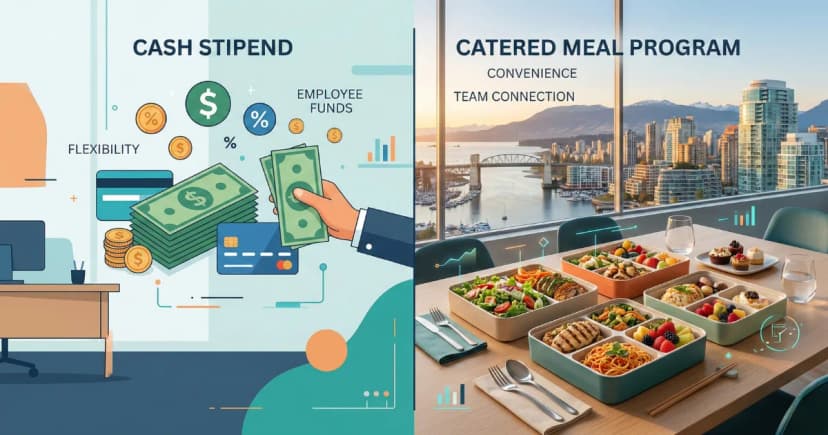
Employee Lunch Stipends vs. Catered Meals: Which Costs Less?
Compare employee lunch stipends vs. catered office meals on total cost, tax treatment, utilization r
Accounting Firm Lunch Programs During Tax Season
Vancouver accounting firms lose billable hours to lunch chaos during tax season. Learn how structure
Ready to streamline your office meals?
Join 100+ Vancouver offices enjoying hassle-free lunch delivery.
Request a Demo